Your own WireGuard VPN. No config files.
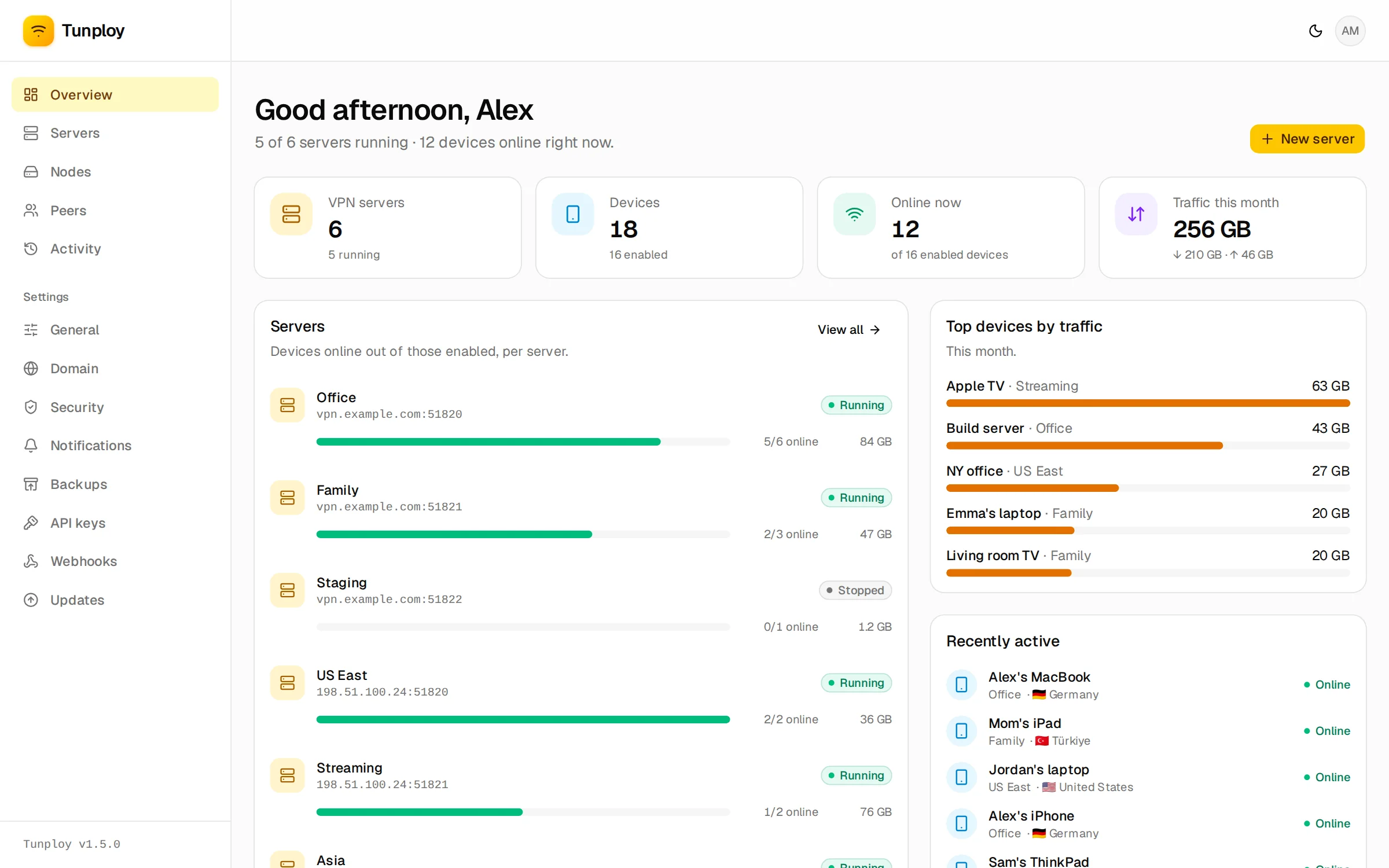
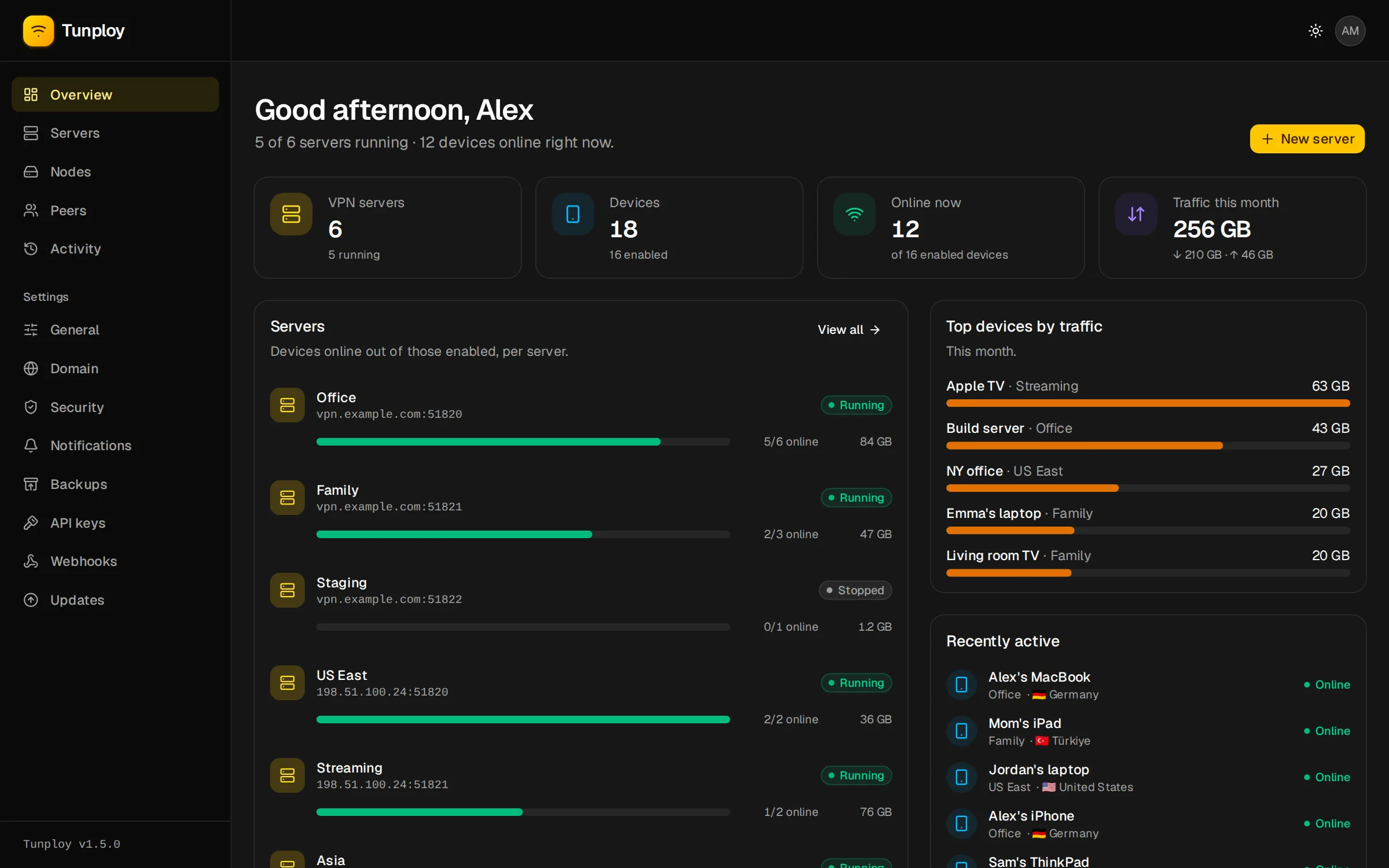
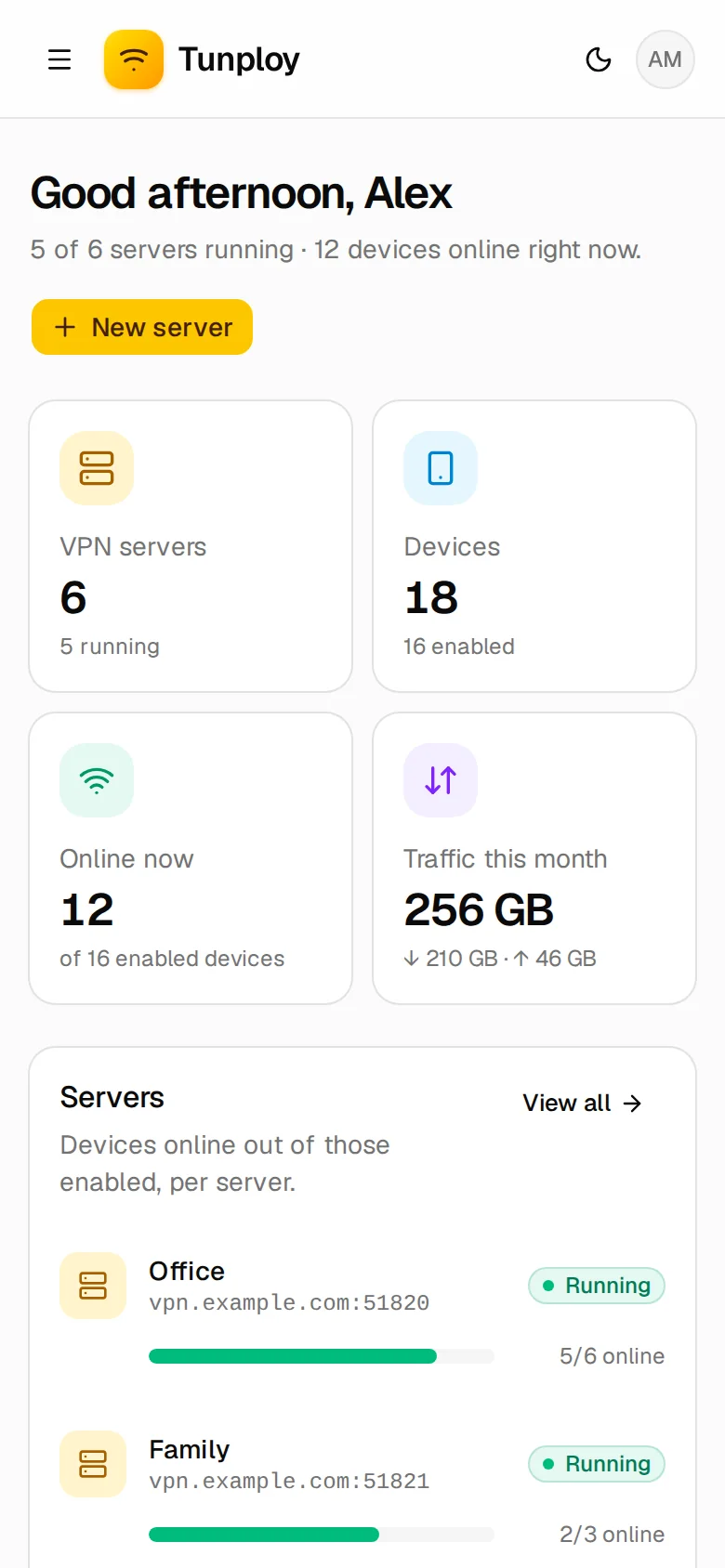
Tunploy runs as a single Docker container on your Linux server. Spin up WireGuard servers, add devices with a QR code and see who is connected and how much they use, all from one web panel.
curl -fsSL https://raw.githubusercontent.com/kwa0x2/tunploy/main/install.sh | sudo shAny Linux with kernel 5.6 or newer · amd64 and arm64 · Docker is installed for you
How it works
From a fresh VPS to a working VPN in minutes
You don't install WireGuard or write a config by hand. The tools ship inside Tunploy's image, and the kernel module is already part of Linux.
- 1
Install
Run one command as root. It installs Docker if missing, checks the WireGuard kernel module, starts Tunploy and asks for your admin account.
curl -fsSL …/install.sh | sudo sh - 2
Deploy a server
Open the panel, choose New server, give it a name and press Deploy. Each VPN runs in its own container on its own UDP port.
Servers → New server → Deploy - 3
Scan and connect
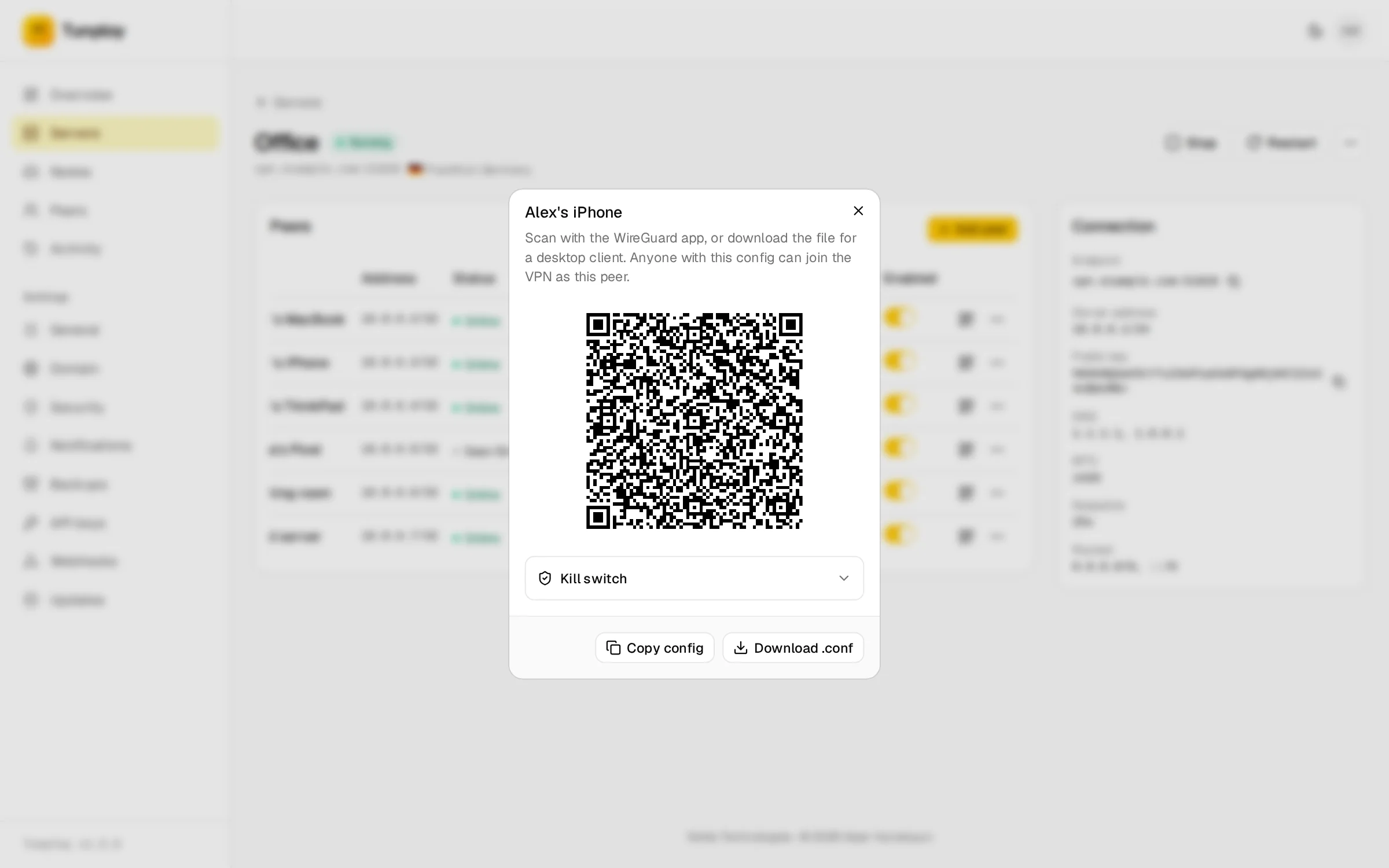
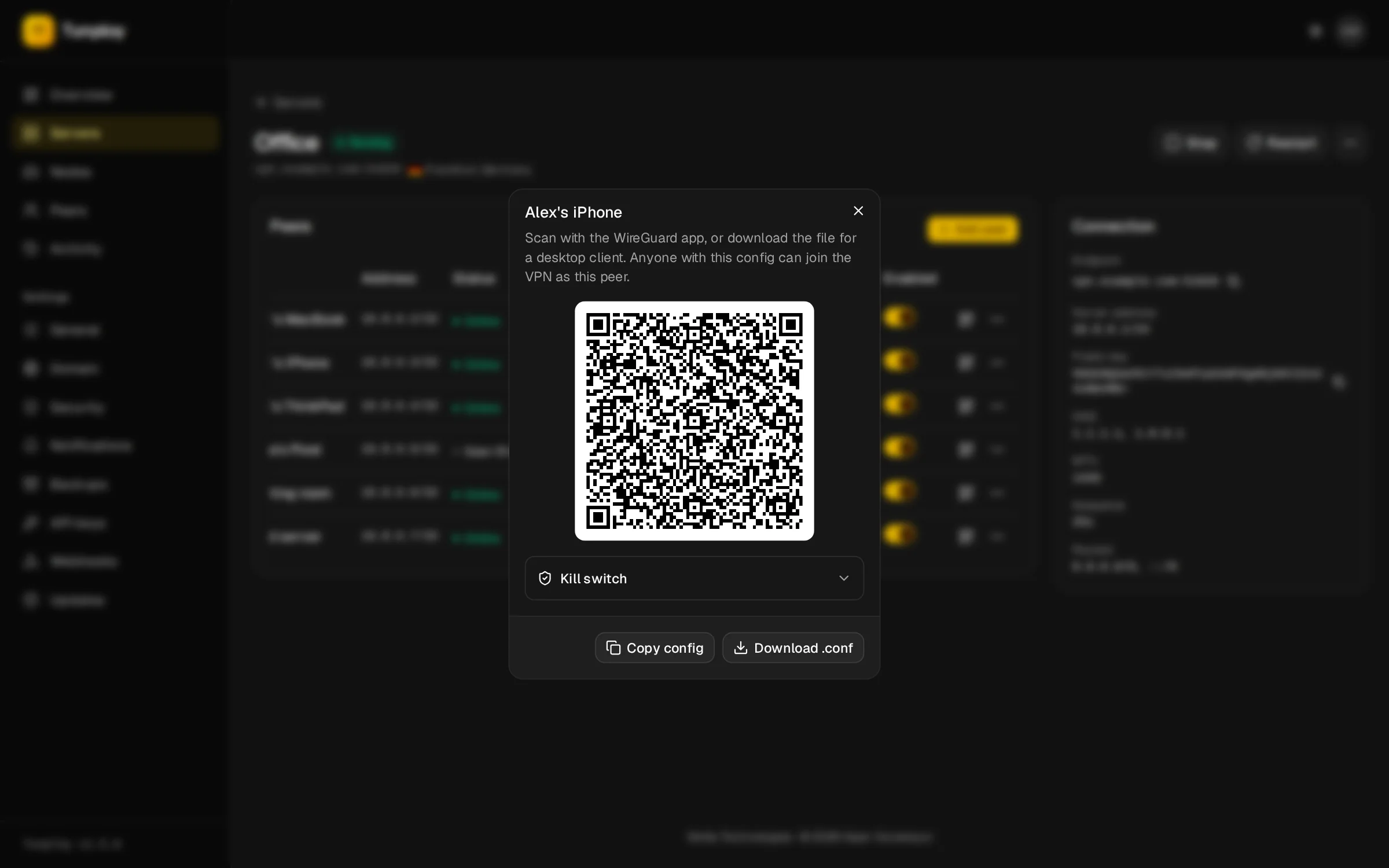
Add a device and scan its QR code with the WireGuard app, or download the .conf for a laptop. It shows up as online within seconds.
Add peer → scan QR → Online
Features
Everything you need to run a VPN, nothing you don't
Tunploy handles the containers, keys, ports and firewall rules. You get a clean panel for the parts that matter.
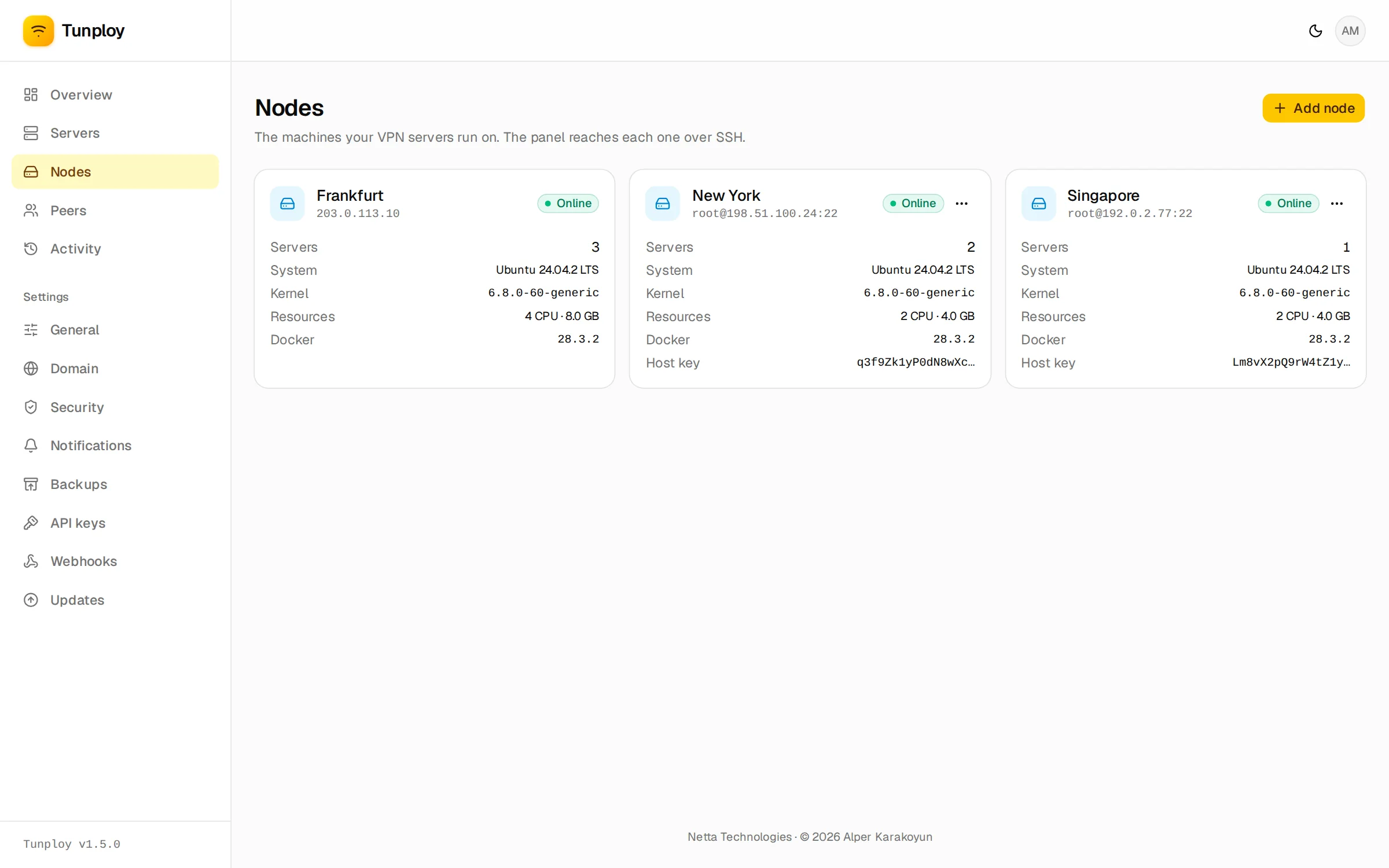
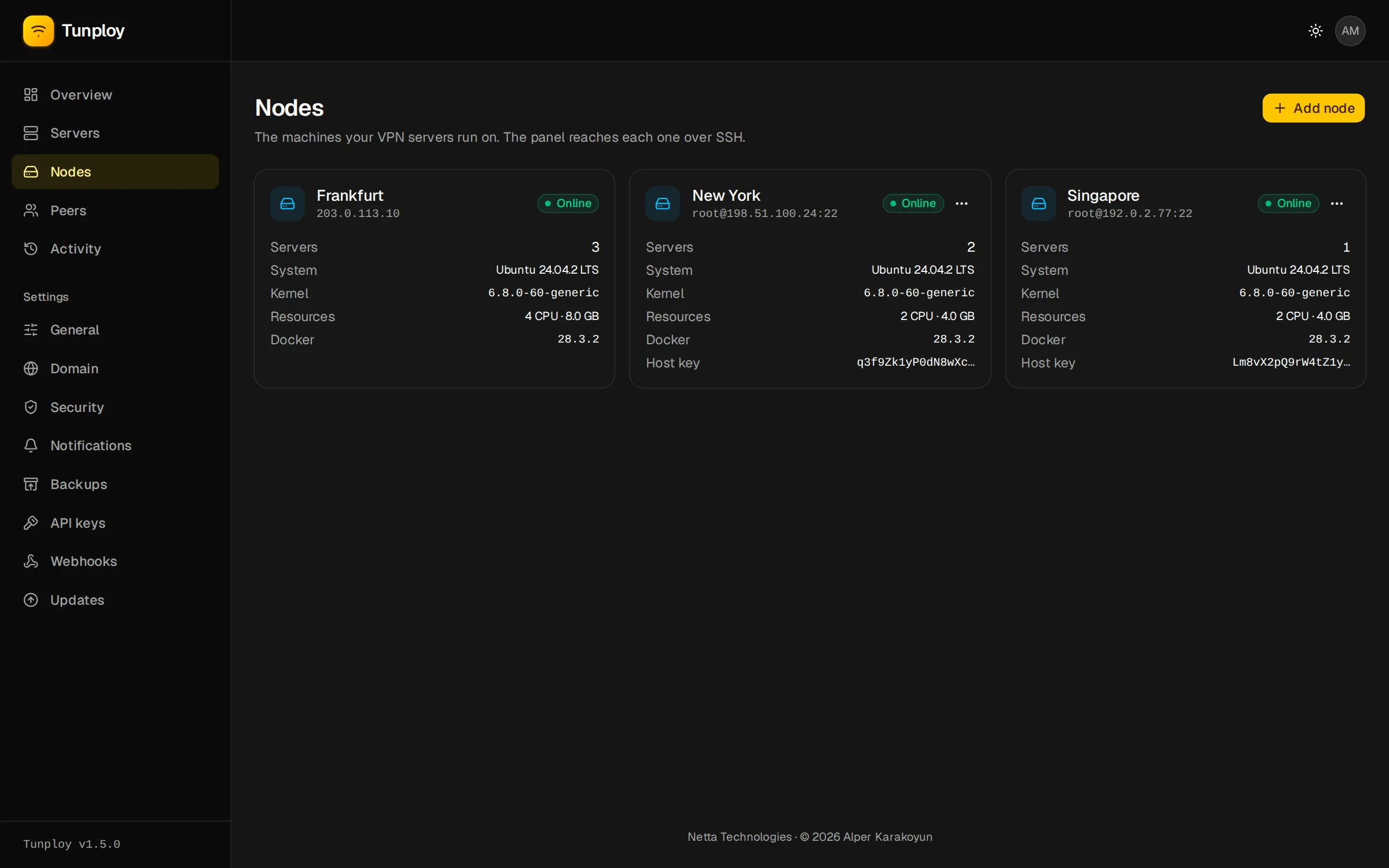
One panel, many machines
Add another VPS by its SSH login and run VPN servers there too, say one in Frankfurt and one in New York. Nothing is installed on it but Docker, and host keys are pinned.
Devices by QR code
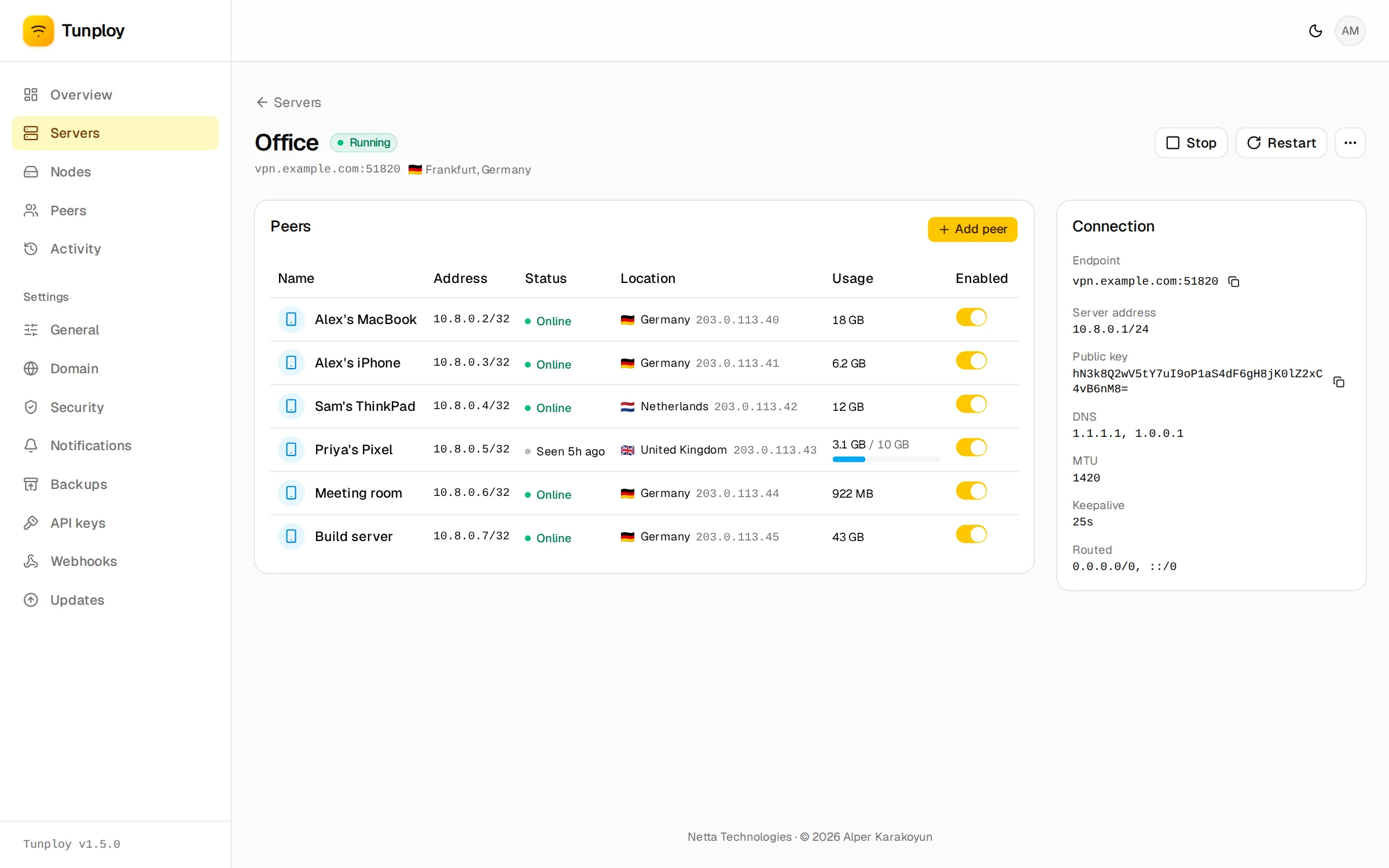
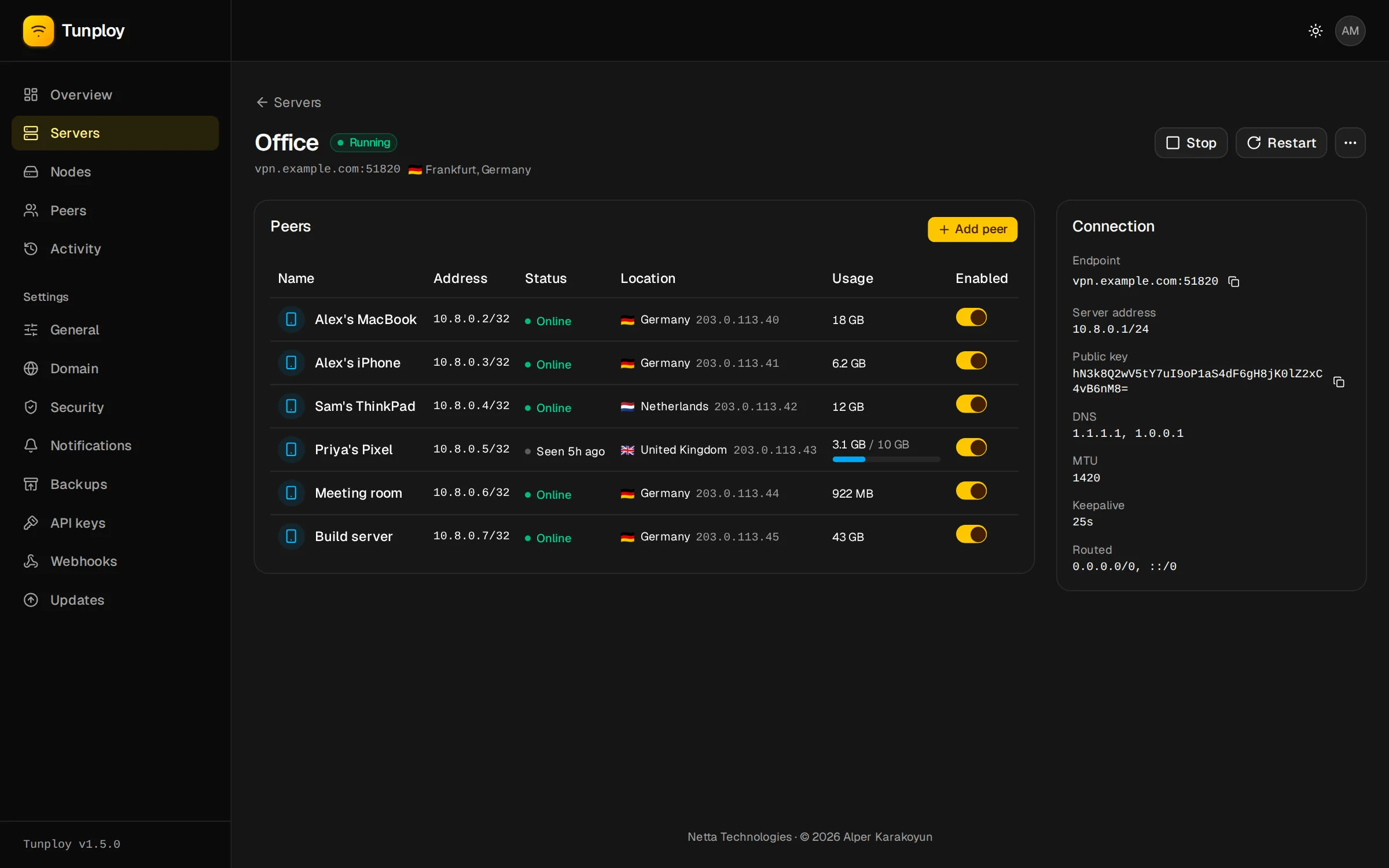
Add a device and scan it with the WireGuard app, download its .conf, or send its owner a share link.
Live status and usage
See which devices are online, from which country, and their daily and monthly traffic.
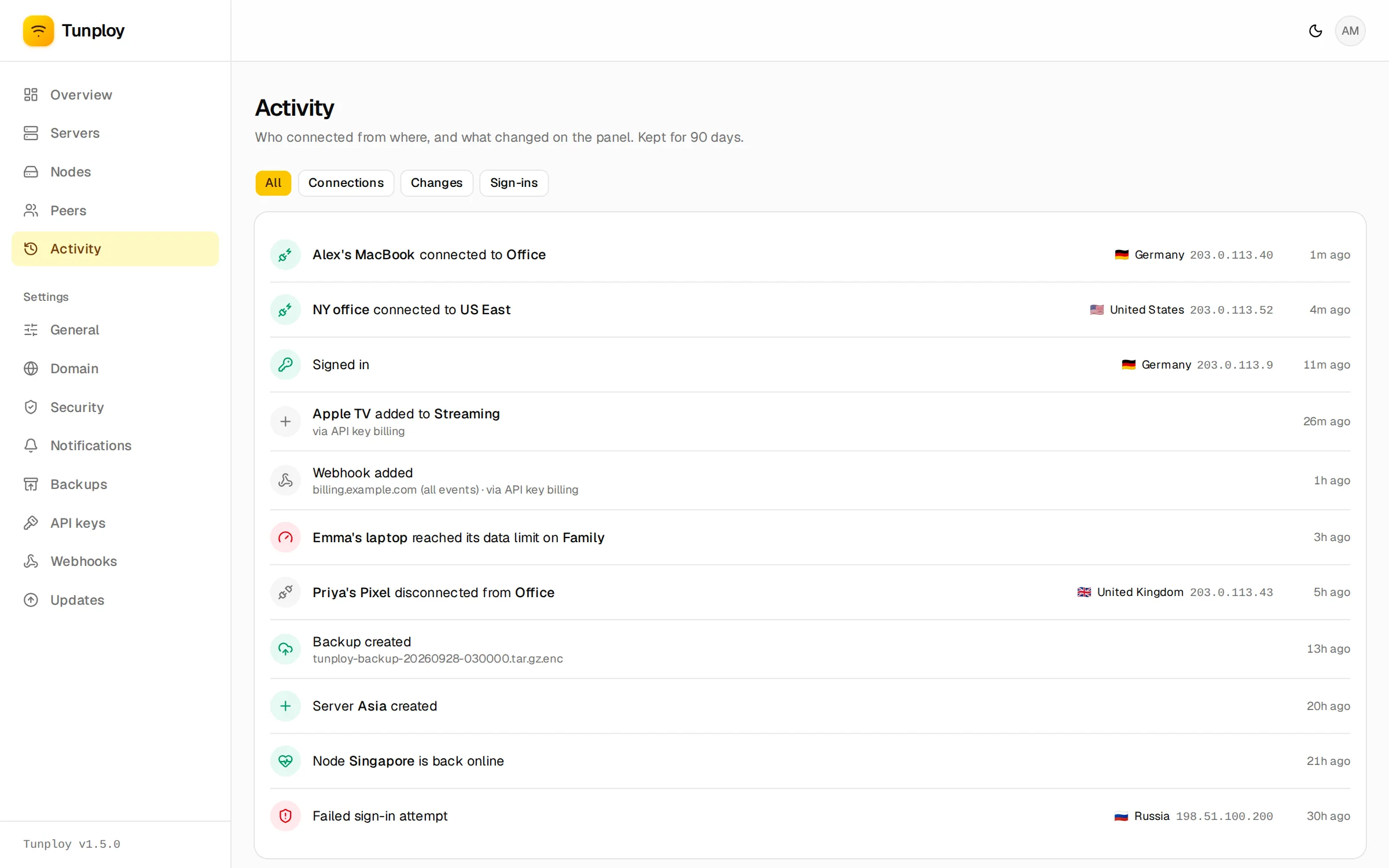
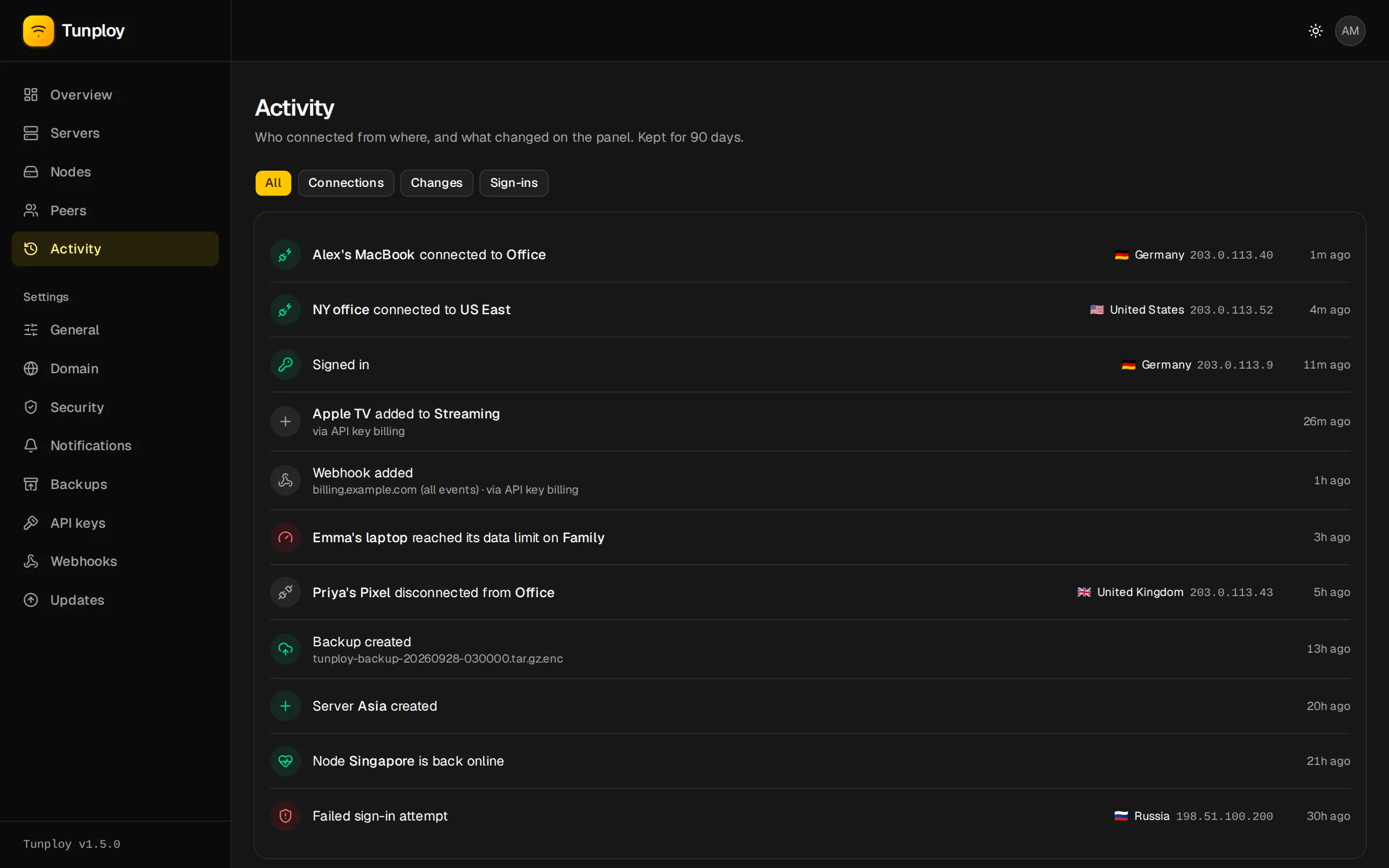
An activity log for everything
Connections, changes and sign-ins in one place, including what an API key did on your behalf.
Limits and expiry
Turn devices off, give them a data limit, a speed limit or an end date. Tunploy blocks them on time.
HTTPS from the panel
Point a domain at the server and the panel gets its own Let’s Encrypt certificate, renewed on its own.
Two-factor sign-in
Protect the panel with any authenticator app: Google Authenticator, 1Password, Aegis, Bitwarden.
Email notifications
Hear when a server goes down, a device hits its limit or a sign-in fails. Bursts arrive as one email.
Encrypted backups
One file with every server, key and setting. Download it, or ship it to any S3 bucket on a schedule.
Updates that roll back
Update from the panel in about a minute. If the new version doesn’t start, the old one comes back.
A server-side CLI
Reset the admin password, restore a backup, follow logs or uninstall with the tunploy command.
Scoped API keys
Let a billing backend or a bot create devices, with keys that can only do what you allowed.
HTTP API
Sell VPN access, or hand it out automatically
A site that sells VPN access, a Telegram bot, an HR tool that gives new staff a VPN: anything can manage devices and servers through /api/v1 with a key you scope in the panel, and hear about limits and outages through signed webhooks.
devices:readlist devices, read their config and usagedevices:writecreate, change, move and delete devicesservers:readlist servers, nodes and free capacityservers:writecreate, change and delete serversevents:readread device, server and node eventswebhooks:writeget events pushed to you, signed
curl https://vpn.example.com/api/v1/devices \
  -H "Authorization: Bearer tp_…" \
  -H "Idempotency-Key: order-1042" \
  -H "Content-Type: application/json" \
  -d '{"server_id": 1, "external_id": "user_123",
        "data_limit": 53687091200,
        "expires_at": "2026-10-25T00:00:00Z"}'

# 201 Created
{
  "id": 42,
  "server_id": 1,
  "external_id": "user_123",
  "status": "active",
  "config": "[Interface]\nPrivateKey = …"
}
Yours, end to end
Your servers, your keys, your data
Tunploy is not a VPN provider. It is software you run on machines you control, and it is open source under the MIT license.
No sign-up page
The admin account can only be created on the server, so nobody who stumbles on the panel can claim it.
Keys stay with you
API keys are stored as hashes and shown once. Devices can bring their own key pair, so the private key never reaches the panel.
Backups you can read
Plain .tar.gz files, optionally sealed with AES-256-GCM and an argon2id passphrase. Restore on any new server.
Quiet by default
Tunploy only reaches out to check GitHub for releases and to fetch a GeoIP database, and both can be turned off.
FAQ
Questions, answered
Is Tunploy free?
What do I need to run it?
Do I have to install WireGuard myself?
Can I run VPN servers on more than one machine?
Do devices disconnect when I update?
My server already runs nginx, Caddy or Traefik. Is that a problem?
TUNPLOY_HTTPS=false, point your proxy at 127.0.0.1:3000 and tell Tunploy which addresses your proxy connects from. See the guide.How do I move to a new server?
Your VPN is one command away
Run it on a fresh VPS, sign in, and create your first server. The whole thing takes a few minutes.
curl -fsSL https://raw.githubusercontent.com/kwa0x2/tunploy/main/install.sh | sudo sh