More servers (nodes)
Run VPN servers on other machines from the same panel, over SSH.
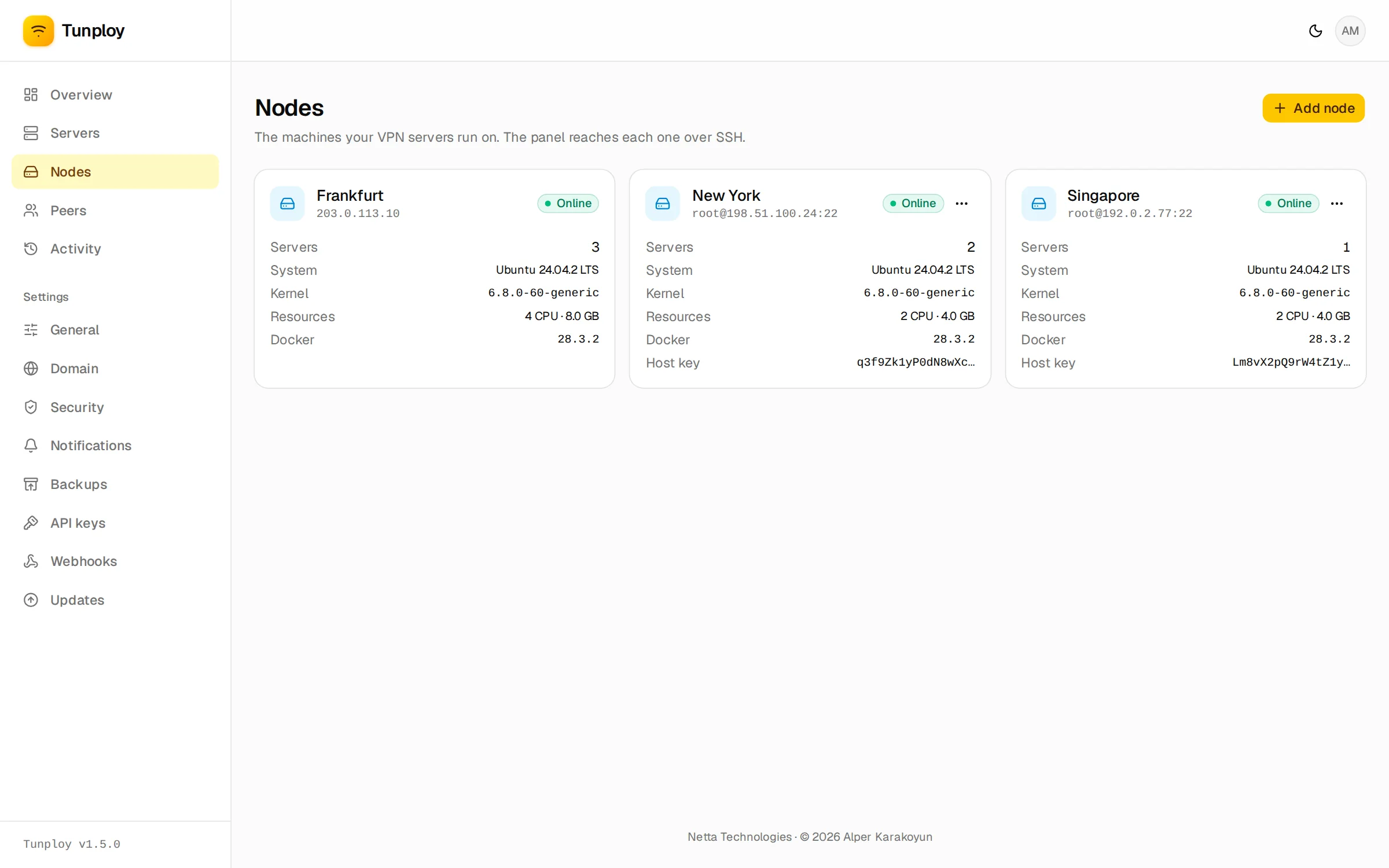
One panel can run VPN servers on other machines too, say one in Frankfurt and one in New York. Each machine is a node; the panel's own is always the first.
Add a node
Go to Nodes → Add node. Enter a name, the machine's IP address, its SSH port and a user: root, or one that can run sudo without a password.
Sign in with a password or a private key. The panel uses it once, to add its own SSH key to that user's ~/.ssh/authorized_keys, and does not keep it.
If you would rather not hand over a login at all, choose Panel key, copy the key shown, add it to authorized_keys yourself, and continue.
The panel shows the machine's host key fingerprint. Compare it with the output of this command on the machine, then choose Trust and set up:
ssh-keygen -lf /etc/ssh/ssh_host_ed25519_key.pubThe key is pinned: if it ever changes, the panel refuses to connect.
The panel installs Docker if it is missing, checks that the kernel supports WireGuard and builds the WireGuard image there. Then the node is ready. When you create a server, pick the node it should run on; its endpoint defaults to the node's address.
How nodes work
Nothing else is installed on the node. The panel keeps one SSH connection to each node and talks to its Docker over it, the same way it does locally. It creates the VPN containers, updates their configs when devices change, reads connection and traffic stats, and streams logs.
The database stays on the panel, so everything else works the same for servers on any node: activity log, usage, limits, notifications and backups.
The machine needs its SSH port reachable from the panel, and the servers' UDP ports open to the internet, as on the panel's own machine.
When a node goes offline
Its VPN servers keep running. The panel shows the node as offline, logs it and emails you if you get server notifications. Changes you make in the meantime, such as new devices, are saved and applied once the panel reaches the node again. If a node is gone for good, Remove node still works: the panel then only forgets it.
Removing a node
Removing a node that is online deletes its VPN servers and their devices, removes the containers and /var/lib/tunploy from the machine, and takes the panel's key out of authorized_keys. Docker stays installed.
The panel's key can log in to your nodes
The panel's SSH key lives in its database and is part of every backup, so a restored panel can reach its nodes again and rebuilds their servers when it does. Anyone with the panel, or with an unencrypted backup, can log in to your nodes as that user.